21/10/2026 11:07
Which Snap Fits the Press? YouTube Chapters for Cambodian Sewing-Supply Shops

A customer considering a fabric snap press may need one answer before contacting your shop: which fastener and die combination does the demonstration actually show? If that answer is buried between an introduction and a long pressing sequence, sharing the video can create more questions than it resolves. For Cambodian sewing-supply businesses serving home sewers, tailoring workshops and bag makers, a clearly divided demonstration can become a useful reference during an enquiry. This guide explains how to plan, add and check YouTube chapters, then judge promotion by the questions customers can resolve. The shop, video timings and customer situations below are hypothetical examples, not reported results.
1. Decide whether chapters solve the actual problem
Start with the video customers already receive. Does it answer several distinct questions, or repeat one action from different angles? A demonstration covering components, setup, a sample test and ordering information has natural divisions. A brief close-up showing only a finished snap may need a clearer explanation rather than chapters. Choose the format according to the information a buyer must find.
Imagine a hypothetical Phnom Penh shop selling manual presses and compatible accessories. A new buyer needs to understand the complete kit, while an existing owner wants to identify a replacement die. Both may use the same demonstration, but they enter with different questions. Chapters can provide a visible route through those questions without requiring staff to describe the entire video each time.
2. Build the chapter map around buyer decisions
Watch the finished edit and write down where each useful answer begins. Avoid dividing the video simply because the camera angle changes. A close-up and a wide shot can belong to the same explanation. Conversely, a continuous shot may contain two separate decisions, such as identifying the die and checking the sample material.
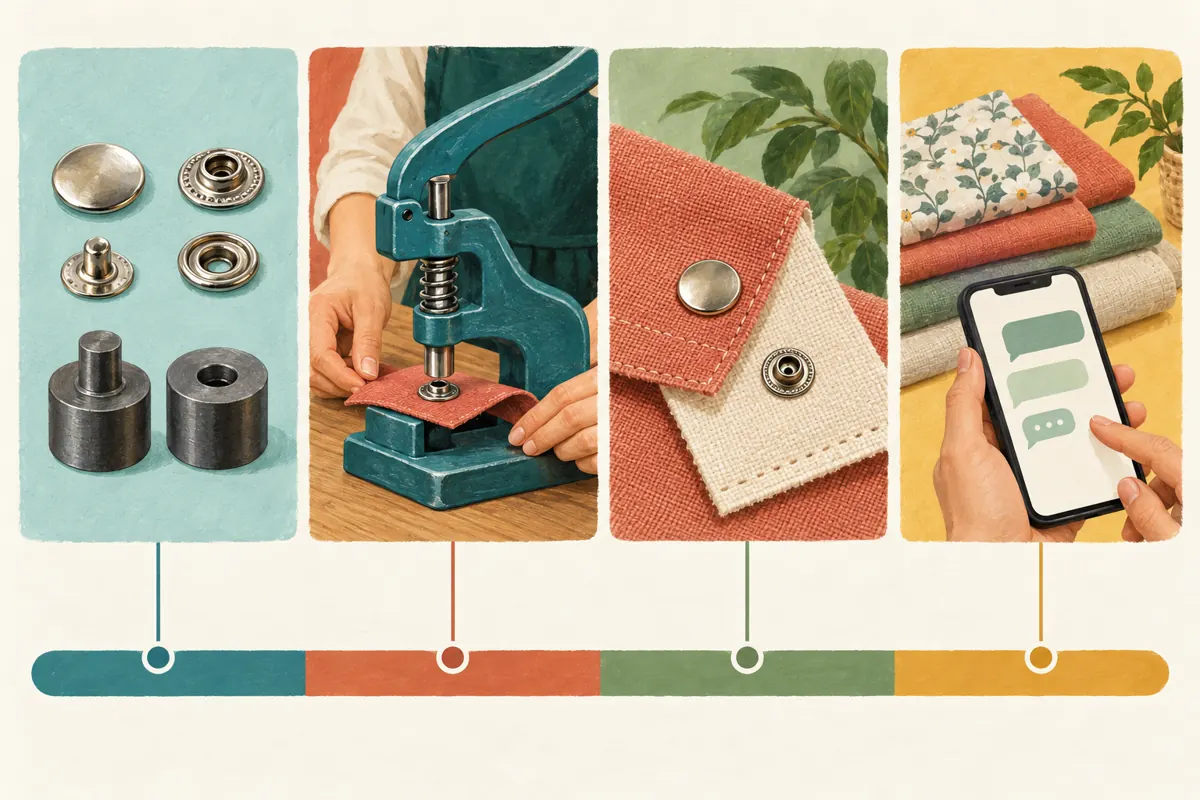
For the hypothetical shop, a sensible map might cover the demonstrated kit, matching components, preparation, the sample result and information needed for an enquiry. Keep the sequence understandable to someone watching from the beginning. At the same time, make each section intelligible to someone arriving halfway through. Restate the relevant model or component when a new section begins instead of relying on an earlier reference to 'this one.'
3. Name the answer without overstating compatibility
A chapter called 'Matching the demonstrated snap and die' tells buyers more than 'Important information.' Names should describe what viewers will actually see. Avoid labels such as 'Fits every press' unless you have evidence supporting that unusually broad claim. A chapter heading cannot turn a demonstration of one combination into a compatibility guarantee.
Choose wording that reflects how your Cambodian customers ask questions. If the video is spoken in Khmer, have a fluent colleague check the proposed Khmer chapter titles against the spoken explanation. Keep genuine model codes unchanged. Where English technical terms are useful, use them consistently rather than giving the same component several names. This is a content decision; it does not require changing your website's language configuration.
4. Add manual chapters using the final video timings
YouTube's official Video Chapters instructions say to open YouTube Studio, select Content, choose the video and add timestamps with titles to its description. Start at 00:00, include at least three timestamps in ascending order, and make every chapter at least ten seconds long. Save the changes. Manual chapters override automatic chapters. The supporting instructions are listed in the sources.
For a hypothetical four-minute demonstration, a draft could read: 00:00 Demonstrated kit; 00:35 Snap and die matching; 01:20 Preparing the sample; 02:15 Checking the attached snap; 03:10 Details to send the shop. These are illustrative timings, not a template to paste into another video. Find the actual boundaries in your finished edit and place each entry on its own line. Include the closing chapter when checking duration.
5. Keep essential context close to each demonstration
Assume some viewers will jump directly to the action. If the setup section starts after the presenter explains which press is being used, repeat that identification briefly at the new entry point. Keep relevant operating precautions beside the action they concern. Follow the equipment manufacturer's instructions when preparing the demonstration; chapter navigation should not leave essential operating context behind.
Likewise, show enough of the sample to explain the result. A close-up of a closed fastener does not establish suitability for every fabric thickness or intended use. State what material was demonstrated and what remains untested. In the hypothetical shop's video, the sample-checking chapter could show both sides of the attachment and explain that customers should confirm their own material and component combination before ordering.
6. Test the published viewing experience on a phone
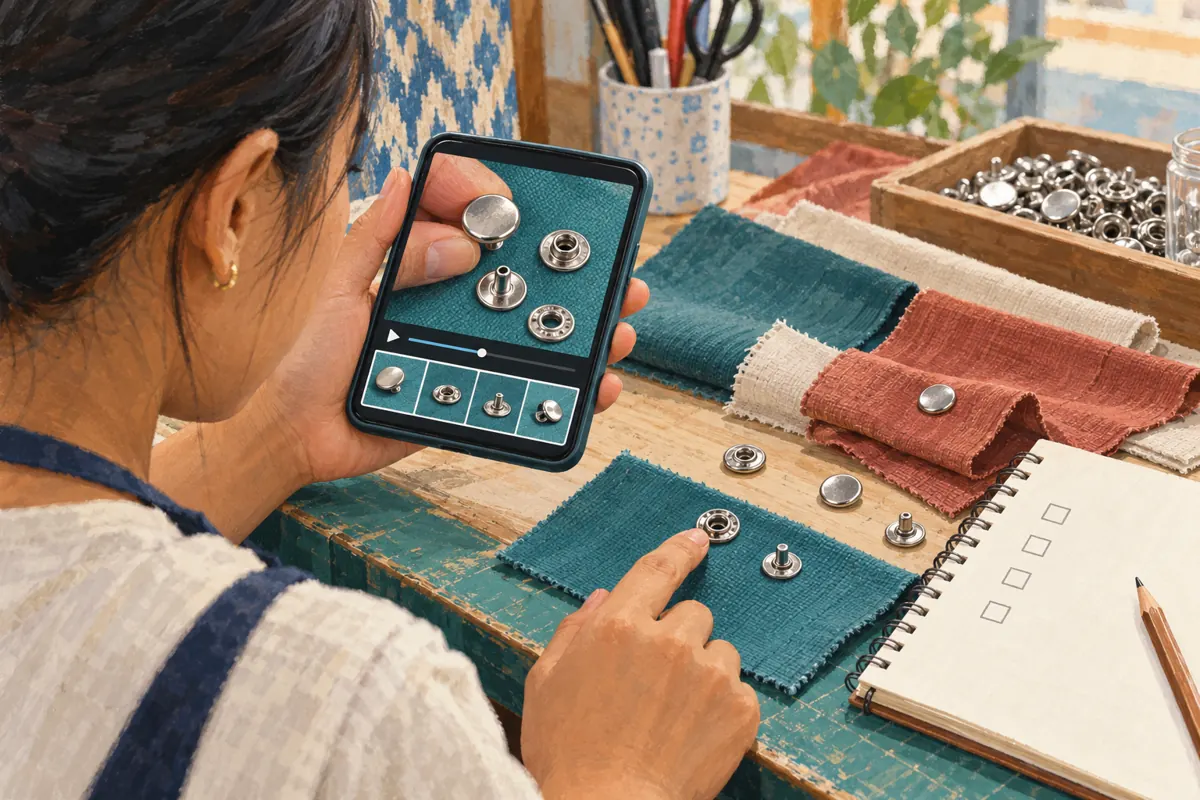
Give a colleague the normal viewing link and a specific task: find the section identifying the demonstrated die without watching the complete video. Ask them to explain what they believe is included in the kit. If their answer differs from your stock list, investigate whether the chapter title, footage or spoken wording caused the confusion.
Check every boundary against the picture and audio. A timestamp that begins after the presenter names a component can land viewers in the middle of an unexplained sentence. Move the boundary to the start of the useful explanation. Also inspect the small details on a phone: can viewers distinguish the pieces, read the model reference and understand what the presenter points toward? Navigation cannot compensate for an unreadable demonstration.
7. Diagnose missing chapters without inventing a workaround
If chapters do not appear, first compare the saved timestamp list with YouTube's requirements. Check the opening timestamp, ordering and section lengths. YouTube advises creators without chapter access to apply for Advanced features. It also notes that automatic chapters are not available for every video. Consult its current guidance before assuming that a correctly saved description guarantees chapter display.
Keep a simple troubleshooting note recording what you changed and what the viewer sees. Do not repeatedly rewrite the whole description while testing one issue. Meanwhile, make the written product summary useful on its own. Customers should still be able to identify the demonstrated kit and contact route even when the chapter interface is unavailable.
8. Review SMM services separately from navigation improvements
The supplied moha-smm.com catalogue includes the exact public service name 'YouTube Like ~ Max 5k ~ 5k/days ~ Instant ~ 𝐍𝐎 𝗥𝗘𝗙𝗜𝗟𝗟'. Its title identifies a YouTube-like service, but the supplied description is empty. Treat the other wording as catalogue claims, not independently verified delivery terms. It supplies no basis for claiming Cambodian viewers, genuine buying interest or improved chapter navigation.
YouTube prohibits artificially increasing engagement metrics and states that a hired promoter's actions can affect the channel. Reject methods that artificially inflate engagement; a panel listing does not establish platform approval. Purchased engagement is not evidence of sales, ad delivery, Cambodian users or genuine interest. For this workflow, first invest effort in an accurate demonstration and useful distribution. Do not place a service order merely to make an unclear video appear more persuasive.
9. Share the demonstration with a concrete question
When promoting the video through your existing customer-facing channels, explain whom it helps. A message such as 'Comparing a complete press kit with a replacement die? The demonstration separates the components and sample check' gives a reason to watch. Avoid promising that the video establishes compatibility for equipment you have not inspected.
Prepare a consistent enquiry request alongside the video: the customer's press model, a clear photograph of the relevant component, the intended material and whether they need a complete kit or a replacement. Ask for private contact through your established business channel when order details are involved. For customers outside Phnom Penh, confirm delivery arrangements separately. A useful demonstration supports that conversation but does not establish stock, transport availability or a confirmed quotation.
10. Evaluate understanding and maintain the chapter map
Record recurring questions before and after the revised demonstration is shared. Look for concrete differences: are customers identifying the component more clearly, or do they still mistake accessories for included parts? These observations can guide editing, but they do not prove that chapters caused a change in sales. Stock availability, pricing, staff responses and other promotion may also affect enquiries.
Keep promotion records separate from customer evidence. A service receipt describes an order; a customer message may reveal a specific need. Neither should be silently substituted for the other. If the video is later shortened or rearranged, recheck every timestamp. If the demonstrated kit changes, review the footage and claims as well. Assign one person to approve the updated map so staff do not keep sharing a familiar video with obsolete information.

Frequently asked questions
Should every small step become a separate chapter?
No. Group actions around a useful question. Several close-ups may collectively explain which components belong together. Splitting them into tiny sections makes the map harder to scan and can remove context. Use a separate chapter when the viewer has a meaningful reason to enter there, and ensure the section still explains its subject clearly.
Should a Cambodian shop use Khmer or English chapter titles?
Use the language your intended viewers can understand, with model codes and necessary technical terms preserved accurately. For a Khmer demonstration, Khmer headings may be the clearest choice. If customers also use English component names, check a concise bilingual approach on a phone. Avoid long titles that repeat the same meaning several times.
Can automatic chapters replace a manual product review?
They should not replace the shop's review of accuracy. Check whether any displayed headings identify the correct components and whether their boundaries preserve the explanation. A product expert should review the meaning regardless of how the sections were created. If the headings misrepresent the demonstration, prepare an accurate manual map and test the saved result.
Will chapters improve rankings or guarantee more enquiries?
There is no such guarantee in this workflow. Chapters give viewers a way to navigate the demonstration. Whether someone contacts the shop also depends on relevance, availability, price and confidence in the information. Judge the revision initially by whether people can find and understand the answer, then review actual enquiries without assuming causation.
What if customers still ask which die fits after watching?
Ask which part remained unclear. The video may show the component too briefly, use an unfamiliar name or omit a necessary model distinction. Improve that explanation rather than simply adding another chapter. If compatibility depends on information you cannot see, request the relevant model and photographs and explain that confirmation is still required.
Explore the current service catalogue, create an account, or ask a specific question through support tickets.
Prepared with AI assistance. Illustrations explain the workflow and do not represent customer results.