20/10/2026 01:06
Which Basket Are You Asking About? Telegram Business Chat Links for Cambodian Bicycle Shops

A bicycle-basket post can show the product clearly and still produce an unclear message: “Is this available?” If the shop sells several baskets, the employee must first discover which item the shopper means. That extra exchange becomes more troublesome when customers ask about collection, fitting and delivery at the same time. Telegram Business chat links offer a practical way to carry product context into the opening question. For Cambodian bicycle shops promoting through a Telegram channel, the useful objective is a conversation that staff can answer accurately. This workflow explains how to prepare that route, test it and evaluate it without confusing purchased engagement with customer demand.
1. Choose one enquiry the link should start
Begin with the question your employee needs to answer, rather than the number of people you hope will see the post. For a basket promotion, a useful first question is whether a particular model is available for collection or fitting. A general invitation to “contact us” leaves the shopper to reconstruct the product details. A focused invitation gives both sides a shared starting point.
Consider a hypothetical shop in Battambang selling a black metal basket and a removable woven basket. Both appear in its channel during the same week. Give each product a short, consistent reference used in the photograph caption, stock notes and suggested enquiry. The reference is a shop-created identifier, not a manufacturer specification. Staff should be able to recognise it immediately without searching through old promotional posts.
2. Understand what a Business chat link does
Telegram explains that Business chat links open a conversation with the business and place a suggested message in the message field. They can be shared inside or outside Telegram, and each link has a tap counter. The prepared text helps the visitor begin; it is not itself a received enquiry. The visitor still needs to send a message. These capabilities are described in Telegram’s official introduction: https://telegram.org/blog/telegram-business.
Check access before building a campaign around the feature. Telegram’s current Business documentation states that Business features are available to Premium subscribers: https://core.telegram.org/api/business. In your app, look under Settings and Telegram Business for the chat-link controls. Confirm availability on the shop’s actual account. If the feature is unavailable, use an existing contact route with a clearly written product reference while you assess whether the additional feature is worthwhile.
3. Write a suggested message customers can comfortably send
Use the customer’s voice and keep the opening small. A hypothetical English draft is: “Hello, I’m asking about the black metal basket in your basket demonstration. Is it available? I would like to ask about collection or fitting.” For a mainly Khmer-speaking audience, have a fluent staff member prepare a natural Khmer version. Preserve the same product reference across languages, and avoid packing two full translations into a long message unless customers need both.
Do not make the suggested text say “I confirm my order” or imply that the visitor has accepted a price. At this point, availability and compatibility may still be unresolved. Avoid requesting a home address, payment details or several measurements in the opening. Ask for only enough information to identify the product and the next question. Staff can request necessary details later, with an explanation of why they are needed.
4. Pair the link with a complete product post
The chat link should reduce typing, not compensate for missing information. Prepare a post with a recognisable product photograph, the basket reference, relevant dimensions and a clear explanation of what is included. State whether a mounting bracket or installation is included only after checking. If the photographed bicycle is merely a demonstration bike, say so. A shopper should not have to open a private conversation to discover that the picture shows optional accessories.
Place a specific invitation beside the link, such as “Ask about this basket’s availability and fitting.” Explain that staff will check the details before confirming anything. For Cambodian customers considering a trip to the shop, distinguish collection availability from fitting availability. A basket may be in stock while the employee who performs fitting is unavailable. Prepare those operational answers before inviting more enquiries.
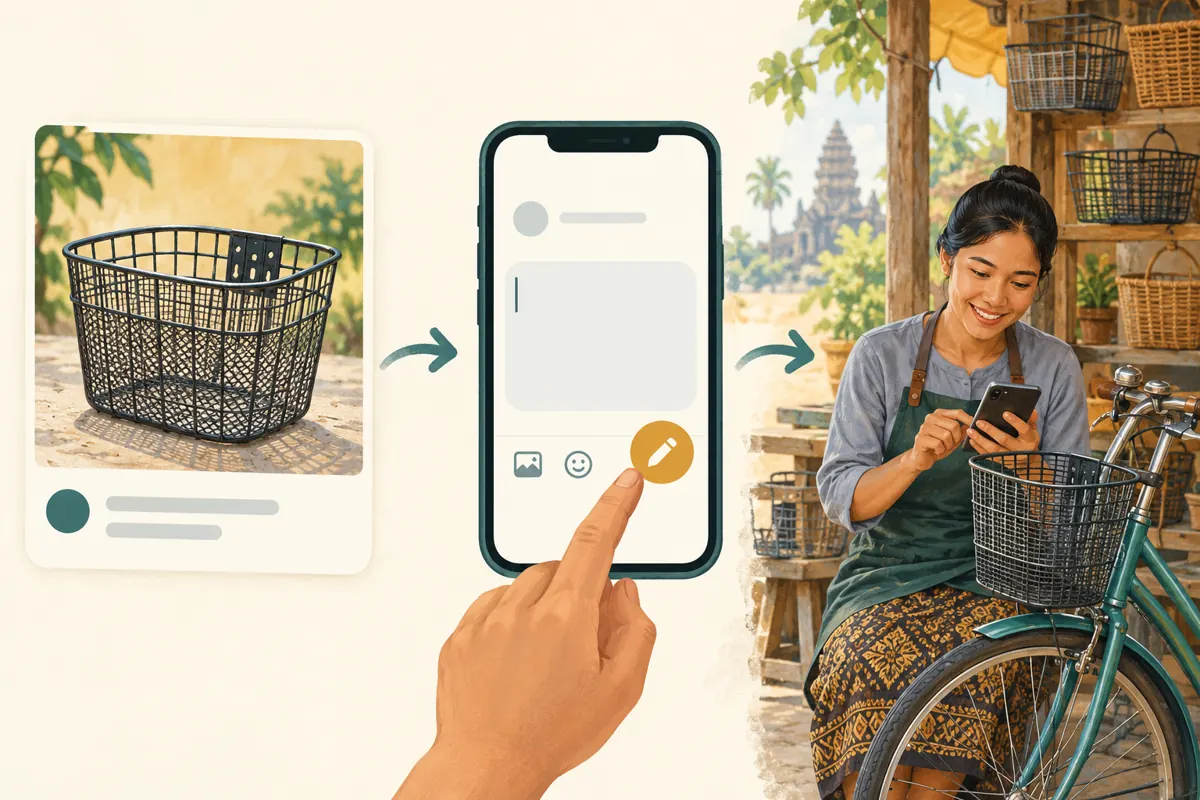
5. Create a small, understandable link register
Prepare the suggested message, create the Business chat link using the account’s available controls, and record the generated address. Keep a simple register containing the product reference, suggested text, intended placement, responsible employee and creation date. This is an internal working note; customers do not need to see it. Its purpose is to prevent someone from accidentally placing the woven-basket enquiry link beneath the metal-basket photograph.
Use separate links only when there is a practical reason to distinguish the routes. For example, a product demonstration and a counter card might deserve separate records if you want to review where enquiries begin. Keep the wording helpful in both cases. Do not create dozens of nearly identical links before staff have tested one. More links create more maintenance work, and a forwarded link can travel beyond its originally intended placement.
6. Test from the customer’s side before promotion
Ask a colleague to open the exact link from the proposed post on another account. Check that it reaches the intended shop conversation and that the suggested message names the correct basket. Have the colleague edit the text and send a clearly labelled test enquiry. Then verify what the receiving employee actually sees. Opening the link successfully is only one part of the test; a useful message must reach the person responsible for responding.
Repeat the check from the places where you intend to share the link, such as a mobile browser or another social app. Observe any confusing handoff, unexpected account destination or missing context. Record staff test activity so it is not mistaken for customer interest when reviewing the counter. If a customer cannot use the link, the post should still show a recognisable shop contact route and product reference.
7. Prepare the reply that turns context into an answer
Assign one person to handle incoming basket questions during the promotion. Their first task is to acknowledge the specific item and answer what they can verify. In the hypothetical Battambang shop, a helpful response might confirm current stock and ask whether the customer wants collection or a fitting check. If compatibility remains uncertain, request an appropriate bicycle photograph or arrange an inspection instead of promising that the basket fits every bicycle.
Give staff a short decision sequence: identify the item, check stock, clarify the requested service, then confirm the next step. Explain any installation charge or delivery arrangement before treating the conversation as an order. For customers outside the shop’s usual delivery area, check the actual options rather than reusing a generic promise. Record unresolved questions so the next employee can continue without asking the customer to repeat everything.

8. Decide whether an SMM panel service addresses the problem
The supplied moha-smm.com catalogue includes the exact public title “Telegram - Premium views - [ MIXED COUNTRY ]”. It is presented as a Telegram views service, but the supplied description is empty. The title alone does not establish how delivery works, who is behind the views or whether viewers are Cambodian shoppers. Treat its wording as a catalogue label, not independently verified evidence of audience quality or local relevance.
If the problem is vague messages, unavailable stock or slow replies, a view service does not solve it. Purchased engagement is not evidence of genuine interest, sales, ad delivery or Cambodian users. Before considering any service, check current terms, platform rules and the required target. A product-post link and a Business chat link serve different purposes; do not submit the chat link to a post-view service unless its documented requirements explicitly support that target.
9. Keep four kinds of evidence separate
Maintain distinct records for post views, Business link taps, received enquiries and confirmed orders. Telegram’s tap counter tells you about link activity; it should not be relabelled as a customer or sales count. Your enquiry record should describe actual incoming questions, while an order record should depend on your shop’s normal confirmation process. None of these categories should automatically inherit the meaning of another.
For a hypothetical review, imagine that the link counter changes but no new basket questions arrive. Investigate the opening text, destination and customer handoff before concluding that the product is unpopular. If messages arrive but repeatedly ask which bracket is included, improve the post. If relevant questions arrive but staff cannot answer them, fix stock information or response ownership. Keep any panel activity documented separately so it does not become an explanation for business outcomes without supporting evidence.
10. Review the route when the offer changes
A common mistake is leaving a link beside an old offer after the basket, included accessories or collection arrangement changes. Review the public post, the suggested opening and the staff response notes together. If you replace a link, update the placements you control and test the replacement. Keep a record of the earlier route because customers may still arrive from saved or forwarded material.
Other mistakes include forcing a purchase commitment into the opening, interpreting every tap as a unique shopper and changing several things at once during a review. Choose one improvement that addresses observed friction, such as shortening the suggested message or clarifying fitting arrangements. Record when it changed and what staff noticed afterward. The useful outcome is a clearer, answerable enquiry and an accurate next step, even when the customer ultimately decides not to buy.

Frequently asked questions
Does opening the link automatically send the suggested message?
No. Telegram describes the feature as placing suggested text into the message field. The visitor must send a message before the shop receives an enquiry. During testing, check both the opening experience and the message that arrives. Never count a tap alone as a customer request.
Should every basket colour have its own chat link?
Only if separate links help staff distinguish genuinely different enquiries. If colour is the only difference, one short opening that asks the customer to name the preferred colour may be easier to maintain. Use separate routes when the products, fitting requirements or offers differ enough to justify them.
Can the shop compare two promotional placements using link taps?
Separate links can provide directional evidence about activity on each route, but taps are not verified unique customers or completed orders. Forwarding and staff testing also complicate interpretation. Compare the actual questions received and record uncertainty rather than declaring one placement commercially successful from its counter alone.
What should staff do when a customer deletes the suggested product reference?
Respond normally and ask for the basket name, post or photograph. The suggested opening is assistance, not a mandatory form. If customers repeatedly remove or misunderstand the reference, simplify it and make the public product label easier to recognise. Do not make customers repeat information already visible in their message.
Should a shop buy more post views when enquiries are quiet?
First check whether the offer is clear, the destination works and someone can answer promptly. Review actual customer questions and the relevance of the places where the post was shared. Purchased views cannot establish local demand or fix a broken enquiry route, so they should not be the default response to silence.
Explore the current service catalogue, create an account, or ask a specific question through support tickets.
- Telegram: Introducing Telegram Business — Links to Chat
- Telegram Business — Official Technical Documentation
Prepared with AI assistance. Illustrations explain the workflow and do not represent customer results.