19/10/2026 05:22
Lost Plant Questions? Organize a Cambodian Nursery’s Telegram Group with Topics

A plant nursery’s Telegram group can become difficult to follow when questions about stock, yellowing leaves and delivery all share one conversation. Promoting that group more widely can make the confusion worse unless customers know where to ask and staff know where to respond. Telegram topics offer a way to separate these discussions. This guide uses a hypothetical Cambodian nursery to explain when topics help, how to organize them and how to test the arrangement before further promotion. For businesses considering SMM panel services, the central decision is whether the group already provides something useful to people who choose to participate.
1. Identify the conversation problem before adding topics
Imagine a hypothetical nursery in Phnom Penh that sells balcony plants and supplies customers arranging pickup or delivery. A customer posts a leaf photo, another asks whether a particular pot is available, and a third asks about collection hours. Staff reply between unrelated messages. The difficulty is not necessarily a shortage of members: several different customer tasks are competing for attention in one place.
Review a small sample of recent conversations without copying personal information into your planning notes. Identify which questions repeatedly interrupt one another and which require different staff knowledge. Topics are useful when these distinct conversations recur. If the group receives only occasional questions that one person can comfortably answer, a single conversation may remain easier. Create structure to solve observed confusion, rather than to make a quiet group appear larger.
2. Understand what Telegram topics actually provide
Telegram describes topics as separate conversations within a group, with their own shared media and notification settings. Its official introduction explains that topics support features such as pinned messages and polls. Group settings and permissions provide controls for topic organization. These are navigation tools: they help people follow a subject, but they do not supply answers or establish a business process.
Have the group owner check the Topics option in the current app and review the available permissions before reorganizing discussions. Telegram’s technical documentation identifies owner rights for enabling forum mode. Avoid assuming every staff member can change the structure. Make changes during a period when someone can explain the new arrangement, and keep a short note describing the intended topics so the team can compare the result with the plan.
3. Start with three customer tasks
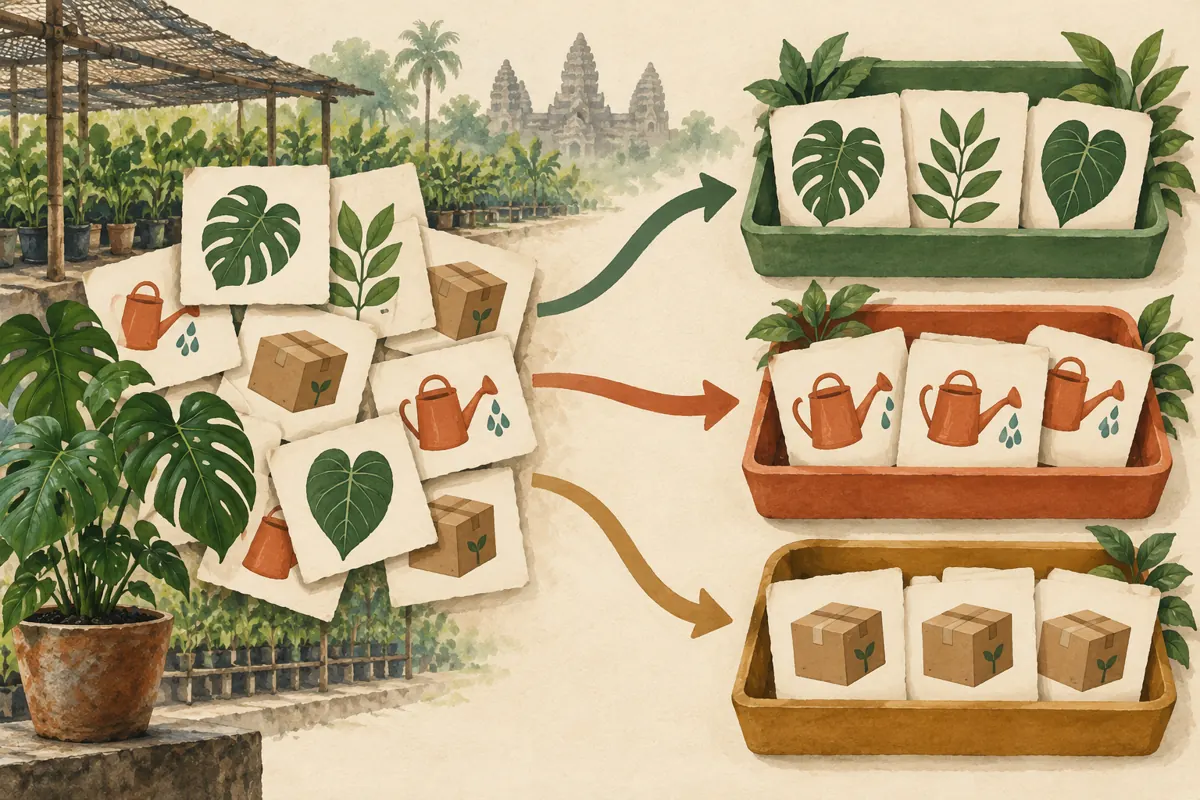
For the hypothetical nursery, begin with Plant Availability, Plant Care and Pickup and Delivery. Availability covers questions about products currently offered. Care covers questions about plants customers already own. Pickup and Delivery covers general collection instructions and service-area questions. These divisions reflect what a customer wants to accomplish, rather than the nursery’s internal departments or the names of individual employees.
Write one boundary sentence for each topic. For example, Plant Care can request a clear plant photo and a description of its location and watering routine. Pickup and Delivery can explain that personal addresses belong in the shop’s designated private contact route. Use short topic names in the language customers understand; a Khmer-speaking customer group may need Khmer labels reviewed by a fluent staff member. Avoid creating separate topics for every plant variety before demand justifies them.
4. Give each topic an opening instruction that does useful work
An empty topic leaves visitors guessing. Add a short introductory message explaining what belongs there, what information helps staff answer and what the next step will be. In Plant Availability, a hypothetical instruction could ask customers to identify the plant from the nursery’s post and specify the pot size they mean. Explain that a public question does not reserve stock; staff must confirm availability through the shop’s normal process.
Telegram supports pinned messages within topics, so make the most useful instruction easy to locate. Keep it brief enough to read on a phone. In Plant Care, distinguish general suggestions from a confirmed diagnosis: a photo may not reveal the cause of a problem. In Pickup and Delivery, state only arrangements the nursery has confirmed. A topic should reduce uncertainty, not introduce promises that staff cannot reliably honor.
5. Separate shared knowledge from personal order handling
A question about whether the nursery delivers to a district may help other members. A customer’s exact home address, phone number or payment receipt usually does not. Treat topics as places for shared discussion, not as confidential customer folders. Do not create a topic named after each buyer or invite customers to post identifying order details simply because the conversation looks separate from the main chat.
Use a consistent handoff sentence when a discussion becomes personal: explain which detail is needed and direct the customer to the nursery’s established private contact route. Ask only for information necessary to complete the task. If a general answer emerges from that exchange, staff can later summarize it publicly without naming the customer. For example, publish a confirmed delivery-area clarification, while leaving the individual address and transaction details out.
6. Assign responsibility for answers and gentle redirection
Give each topic a responsible staff member and a backup. The person answering availability questions should be able to check stock; the person handling care questions should know when to ask for more information. Set response expectations around actual staffing. A small nursery should not imply continuous support when its team is serving customers, watering plants or arranging deliveries.
When someone posts in the wrong place, acknowledge the question and explain where the discussion should continue. For a hypothetical care question in Plant Availability, a useful response would identify Plant Care and ask the customer to continue there with the relevant photo. Avoid reprimanding customers or repeatedly reposting their content across topics. If the same mistake keeps happening, revise the names or instructions before blaming members for ignoring the structure.
7. Rehearse the customer journey before promoting the group
Ask a colleague who did not design the arrangement to try three hypothetical tasks: find where to ask about a plant, request help with a leaf problem and locate general pickup instructions. Let that person use the topic names and introductory messages without verbal coaching. Note where they hesitate. This reveals whether the organization works for a newcomer instead of only for the administrator who created it.
Also check what existing members encounter. Telegram’s Topics 2.0 explanation says the General topic contains service messages and pre-topic message history. Tell members how the new arrangement relates to older conversations rather than assuming historical answers have been reorganized. Revise confusing labels, check the private-contact instructions and confirm that the backup staff member can handle a question. Only then invite more people into the group.

8. Evaluate an SMM service against the actual need
The supplied moha-smm.com catalogue includes the exact public service name “Telegram - Channel/Group Members ~ Max 1M ~ 50k/days ~ Instant ~ 𝐍𝐎 𝗥𝗘𝗙𝗜𝗟𝗟”. Its name identifies a channel or group membership offering, but the supplied description is empty. Treat the remaining wording as catalogue claims requiring clarification, not as independently verified delivery terms. The brief does not establish Cambodian audience origin, participation quality or compatibility with this particular group configuration.
Ask what problem such a service would solve. It cannot organize unanswered plant questions, train a moderator or confirm stock. Purchased membership is not evidence of genuine interest, sales, ad delivery or Cambodian users. If the nursery needs interested local participants, prioritize voluntary invitations through its own shop and relevant content. If a panel service remains under consideration, check current platform rules and obtain clear service details before deciding; declining a poorly matched service is a valid outcome.
9. Promote the practical reason to join
A useful invitation explains what customers can do in the group. For the hypothetical nursery, a social post could introduce the Plant Care discussion and explain what makes a question answerable: a clear photo, information about light exposure and a description of recent care. Another post could explain where general pickup information lives. Show the benefit accurately without suggesting that joining guarantees an immediate answer.
Invite existing customers voluntarily, and make the scope clear at the shop or in the nursery’s own social content. Do not present purchased members as local gardeners or use membership totals as proof that advice is reliable. Avoid manufacturing questions to simulate activity. Staff can publish clearly identified educational examples instead, labeling hypothetical situations and explaining what information would be needed before offering a more specific answer.
10. Review confusion and workload before expanding
After the arrangement has been used for an ordinary trading period, review the questions that still land in the wrong place. Look for ambiguous topic names, unanswered questions and discussions that repeatedly require private handling. A brief staff note can identify the issue and the proposed change without retaining customer identities. Judge the structure by whether it helps people complete their tasks.
Common mistakes include opening many nearly empty topics, duplicating announcements everywhere and separating closely related questions so much that customers must repeat themselves. If two topics consistently overlap, simplify the arrangement and explain the change. If one topic contains distinct recurring discussions that staff can support, consider splitting it. Keep panel delivery records separate from this operational review: a change in membership totals cannot demonstrate that customers found answers, arranged pickups or bought plants.

Frequently asked questions
Should a small Cambodian nursery enable topics immediately?
Only if distinct conversations are becoming difficult to follow. A small, manageable group may work well as one chat. Review actual questions first, then introduce the smallest useful structure. The deciding factor is customer confusion and staff workload, rather than a desire to make the group look more sophisticated.
Should Plant Care and Plant Availability be separate?
They are worth separating when existing owners need ongoing help while prospective buyers ask about current stock. Those tasks require different answers. If customers rarely discuss care or staff cannot maintain another topic, keep the arrangement simpler until there is a clear reason to expand.
Can a topic be used as a private order record?
Do not treat a separate topic as a confidential customer space. Keep group discussion focused on information suitable for members to read. Move personal order handling to the nursery’s established private contact route, and retain only the information needed for the transaction in the business’s appropriate records.
Will buying Telegram members make the topics more active?
The supplied service information does not establish that purchased members will ask questions, read instructions or participate meaningfully. It also does not establish Cambodian origin. Plan staffing and promotion around observed voluntary participation. A membership delivery record and a useful customer discussion are different kinds of evidence.
What should staff do when customers keep choosing the wrong topic?
Check whether the names describe customer intentions clearly and whether the opening instructions distinguish overlapping subjects. Test the labels with a colleague or willing customer. Redirect politely while improving the structure. Repeated mistakes often reveal a navigation problem that adding more rules will not solve.
Explore the current service catalogue, create an account, or ask a specific question through support tickets.
- Telegram: Topics in Groups, Collectible Usernames, Voice-to-Text for Video Messages and More
- Telegram: No-SIM Signup, Auto-Delete All Chats, Topics 2.0 and More
- Telegram API: Forum Topics
Prepared with AI assistance. Illustrations explain the workflow and do not represent customer results.